Nowy standard. Twoje centrum tworzenia inteligentnego, szybkiego i zrównoważonego oprogramowania AI
Spis treści
The most reliable way to reduce app development costs is to custom-build only what makes your product different, reuse proven components for everything else, and run the project so you don't pay twice for the same feature. Since 2010 and across 900+ projects, we've learned that you can optimize development costs without compromising on product quality.
Every app we build is custom, but almost none of it needs to start from a blank file. Below are ten ways to cut cost without cutting quality, plus the cases where building your own is the cheaper choice.
Executive Summary
You can reduce software development costs most by paying engineers only for the parts of your product that differentiate it. Payments, video, authentication and storefronts already exist as mature services and open-source libraries, and integrating them costs a fraction of building them.
The rest of the savings come from process: scoping an MVP, validating early and testing from day one, because every feature you rebuild is a feature you pay for twice. Reuse has its own costs (vendor lock-in, usage fees at scale, open-source maintenance), so weigh it against building for each feature.
How Can You Reduce App Development Costs Without Cutting Quality?
Ways 1 to 6 reduce how much you have to build. Ways 7 to 10 reduce rework.
1. Use SaaS and BaaS services for commodity features
Many features your app needs are already sold as reliable services for a modest fee, or offered for free. Reinventing them buys you nothing your users will notice.
Video calls are a good example. Jitsi Meet is a free, open-source video conferencing tool that you can embed in an app or run as a standalone service. We used it to build a real estate video tour app for Morizon, Poland's biggest online real estate marketplace, without building a video stack. The proof of concept took four hours and the production version four days.
2. Hand payments to a payment provider
Building payment processing yourself means carrying the security and compliance burden of handling card data. A provider like Stripe gives you payments, subscriptions and invoicing through one integration.
The cost win is compliance scope. With Stripe's hosted Checkout or Elements, card details go straight to Stripe and never touch your servers, which shrinks your PCI DSS obligations to the simplest self-assessment. You still own GDPR compliance for your users' personal data, so the provider doesn't take legal responsibility off your hands.
3. Build on open-source libraries for common modules
Mature ecosystems such as Ruby on Rails, Python and JavaScript have well-maintained open-source libraries for admin panels, user authentication, file uploads and more. Building on them means your team writes the business logic, not the plumbing.
Authorization is a typical case. Instead of designing your own scheme, use OAuth 2.0, the industry-standard protocol that lets applications interact on a user's behalf without ever sharing the user's password.
4. Refactor legacy code gradually instead of rewriting from scratch
Outdated code slows every new feature and makes the product harder to maintain. A full rewrite looks tempting, but it freezes development for months while you rebuild what already works.
The cheaper path is a hybrid approach. Spread the rewrite over a longer period, start with the business-critical parts, and connect old and new code through APIs or bridges. New features ship as separate services that, as Tomasz Kania-Orzeł, then Monterail's Head of Technology, told Increment, "eat the business logic of your legacy code piece by piece." Your app keeps running for users while the migration happens in the background.
5. Integrate an eCommerce platform instead of building a store engine
eCommerce engines are complex and expensive to build from scratch: catalogs, carts, checkout, taxes and inventory all have edge cases that platforms have spent years solving. Integrating an existing platform usually costs far less to set up and maintain than a bespoke engine.
The choice of platform matters, so compare them on performance and extensibility first. Our comparison of eCommerce platforms is a good starting point.
6. Build cross-platform from one codebase
If you need iOS and Android apps, a cross-platform framework lets one team ship both from a single codebase instead of funding two native teams. React Native and Flutter are the mature options in 2026, and both can also target the web.
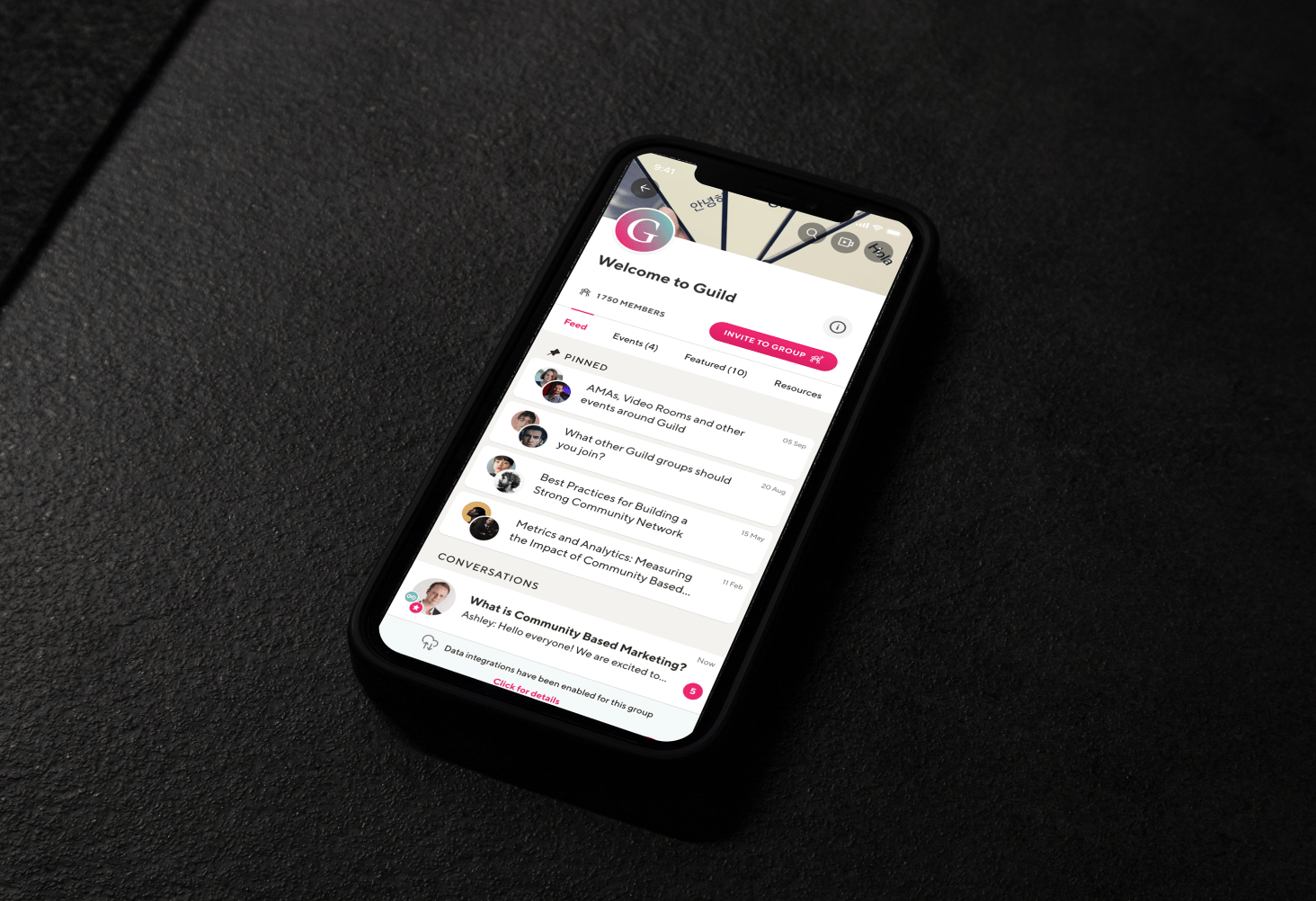
We took this approach for Guild's cross-platform messaging app. Our React Native development team shared 99% of the mobile code between iOS and Android.
7. Separate must-haves from nice-to-haves before you start
The cheapest feature is the one you don't build. Before development starts, rank every requirement by its impact on your first users and cut or postpone the rest. A clear scope also gives your development partner something concrete to estimate against, which keeps quotes honest.
8. Start with a proof of concept or MVP
Many features can be built in a simple or a sophisticated way. Start with the simplest version that tests your assumption, a proof of concept or MVP, and add complexity once real usage shows it's worth paying for. A prototype or an internal tool can also run on ready-made UI components instead of a custom design.
9. Validate with users early and work in short iterations
Get the product in front of real users as early as possible, even as a clickable prototype, and validate the idea before heavy development. Agile delivery in short iterations means you review progress and budget every couple of weeks, so a wrong turn costs one sprint, not one quarter.
Good communication between you, the project manager and the team is part of this, because missing information and misunderstandings get expensive fast.
10. Involve QA from the planning phase
Bugs and errors accumulate over time. A flaw caught during planning or in the first sprint is cheap to fix, while the same flaw found after release can mean reworking the features built on top of it. Bring a QA specialist in from the start and test continuously, not just before launch.
When Should You Build Custom Software Instead of Using Ready-Made Components?
Ready-made components aren't free. Open source is now the default: Black Duck's 2026 Open Source Security and Risk Analysis found it in 98% of the commercial codebases it audited. Every dependency needs updates and security patches, and every SaaS service brings usage fees and some vendor lock-in.
Building custom is usually the better investment when:
your core features are innovative and nothing on the market does what you need;
you already pay for an expensive solution that doesn't deliver, and owning the feature would cost less over time;
the components that fit your project are too young or unproven to trust in production;
per-user or per-transaction fees will outgrow the cost of building once you reach scale.
Ready-made component | Custom build | |
|---|---|---|
Upfront cost | Low | High |
Time to market | Days to weeks | Weeks to months |
Ongoing cost | Subscription or usage fees, dependency updates | Maintenance by your team |
Differentiation | None, competitors can use the same tool | Full control |
Main risk | Vendor lock-in, pricing changes | Budget and schedule overruns |
Your app should still give users an experience that fits their needs. If a unique interface is what sets your product apart, invest in it, and save money on the parts users never see.
Key Takeaways
Pay engineers for what differentiates your product, and reuse proven components for the rest.
Hosted payment forms cut your PCI DSS scope, but GDPR responsibility stays with you.
Refactor legacy code in stages instead of freezing development for a full rewrite.
One cross-platform codebase usually costs less than two native apps.
Rework is a hidden cost you can control: scope tightly, validate early and test from day one.
What Does Cost-Efficient App Development Look Like in Practice?
Cost-efficient development spends the budget on the features that make your product different and buys or reuses everything else. That takes discipline in two places: choosing components with their long-term costs in mind, and running the project so problems surface while they're still cheap to fix.
If you're deciding what to build and what to buy for your product, talk to our team. We'll help you scope it and tell you where an off-the-shelf tool will do the job.
App Development Cost Optimization FAQ

Hubert Białęcki
Head of Technology at Monterail

As Monterail’s Head of Technology, Hubert brings a unique blend of technical expertise and strategic leadership to drive innovation and organizational growth. A graduate of Wrocław University of Science and Technology, Hubert has carved an impressive career path from JavaScript developer to technology executive, demonstrating both technical mastery and exceptional leadership capabilities. He excels at understanding complex organizational dynamics and implementing strategic changes that enhance team performance and company development.