Nowy standard. Twoje centrum tworzenia inteligentnego, szybkiego i zrównoważonego oprogramowania AI
Spis treści
To add AI features to a Ruby on Rails app, you call a hosted language model from your server through a gem like RubyLLM, run those calls in background jobs, stream the answers to the page with Hotwire, and use retrieval-augmented generation (RAG) when the model needs your own data.
The model itself is one API call. The work is in everything around the model call: state, retries, permissions and cost. Rails already ships most of that plumbing, and as of 2026 the Rails ecosystem has a mature, Rails-native AI library to connect it.
This guide walks through the pieces, in the order you'll need them, and the places where AI features usually go wrong.
Executive Summary
A Rails app needs very little new infrastructure to run AI features: RubyLLM turns chats and messages into ordinary Active Record models, Active Job with Solid Queue handles slow and long-running model calls,
Turbo Streams show replies as they arrive, and pgvector with the neighbor gem lets you search your own content without a separate vector database. Most of the effort goes into keeping the model's output trustworthy and its costs predictable.
Teams that persist every conversation, give agents only the permissions a user would have, and check model output with small, cheap "judge" models ship features that hold up in production. Start with one feature where the input is messy and a human stays in the loop, and keep deterministic business logic in plain Ruby.
Is Ruby on Rails a Good Framework for AI Features?
Yes, because an AI feature is mostly a web feature with a slow, expensive, unpredictable API call in the middle, and Rails is built for web features. The model runs on the provider's servers, so any framework can call it. What decides how quickly you ship is whether the framework already handles the plumbing around that call.
Rails already covers most of that plumbing:
Rails building block | What it does for an AI feature |
|---|---|
Active Record | Stores conversations, messages, token usage and feedback as normal models you can query and audit |
Active Job + Solid Queue | Runs model calls outside the web request, with retries; Solid Queue is the default backend since Rails 8.0 and needs no Redis |
Hotwire (Turbo Streams) | Streams a reply to the browser word by word instead of leaving the user staring at a spinner |
Active Storage | Passes uploaded PDFs, images and audio to the model without extra file handling |
Encrypted credentials | Keeps provider API keys on the server, never in the browser |
There's a second reason Rails fits AI work in 2026, and it matters if you build with a coding agent such as Claude Code or Cursor. The Rails team now argues that Rails is "built for AI": its conventions give coding agents a predictable map of the codebase, and two decades of public Rails code give models strong patterns to follow.
The team also publishes an open-source benchmark that scores models on real Rails tasks. In practice, the closer your app stays to Rails defaults, the better your AI assistant's output will be.

Which AI Features Are Worth Adding to a Rails App?
AI is worth adding where the input is messy and a slightly imperfect answer is still useful: free text, documents, images, audio, open-ended questions. Where the same input must always give the same output, such as invoice math, status changes or permission checks, plain Ruby is cheaper, faster and easier to trust. A feature that fails that test is a feature you shouldn't build with a model, however good the demo looks.
The AI features that tend to pay off in Rails apps look like this:
Support or in-app assistants that answer questions about the user's own records, such as "where's my order?" or "why did this invoice fail?"
Document and media processing that turns uploads into structured data: OCR on invoices, call transcriptions that become tickets, contracts summarized for a reviewer.
Search and Q&A over your content (help centers, internal wikis, product catalogs), where users ask in their own words instead of guessing keywords.
Proactive agents that run on a schedule and surface insights nobody asked for yet.
Proactive agents need less machinery than the name suggests. At Rails World 2026, Daniela Velasquez of Shopify showed an AI running coach built from nothing more than a Rails job, a prompt, a model and a few tools. It studies an athlete's workouts, sleep and heart rate, checks the weather forecast, and proposes changes to next week's training before the athlete opens the app.
What Is RubyLLM, and Why Do Rails Teams Use It?
RubyLLM is an open-source Ruby library that gives you one API for chat, embeddings, image generation, transcription, tools and agents across 23 AI providers, including OpenAI, Anthropic, Google Gemini, Mistral and local models through Ollama. It has more than 16 million downloads on RubyGems, and it fits Rails well because it doesn't stop at API calls: it plugs into Active Record, Active Storage, Active Job and Hotwire.
A single generator sets it up. bin/rails generate ruby_llm:install creates Chat and Message models, their migrations and an initializer where you add your provider keys from Rails credentials (RubyLLM Rails guide). From then on, a conversation is just a record:
class Chat < ApplicationRecord
  acts_as_chat
  belongs_to :customer
end

chat = Chat.create!(customer: current_customer, model: "gpt-6.1-sol")
chat.ask "Do you ship to Canada?"
chat.cost.total
Every message, tool call and attachment is saved as it arrives, and chat.cost tells you what the conversation cost. That gives you an audit trail and per-customer spend tracking without writing either. If you're working with a coding assistant, bin/rails generate ruby_llm:chat_ui adds a working chat interface with controllers, views and a background job, as code you own and can change.
The biggest practical benefit is that the model choice lives in one place. Models get better and cheaper every few months, so an app that hard-codes one provider's SDK across dozens of files gets expensive to upgrade. With RubyLLM, moving a feature to a different model or provider is usually a change to a model name, not a rewrite.
One detail worth knowing before it costs you a debugging afternoon: don't add validates :content, presence: true to the Message model. Streaming creates the assistant message before any text arrives, and messages that only call tools have no text, so a blanket presence validation breaks both.
Why Should AI Calls in a Rails App Run in Background Jobs?
AI calls belong in background jobs because they're slow and they fail. A chat reply takes seconds, and a research agent that calls several tools can run for 10–15 minutes, according to Velasquez's Rails World talk. Running that inside a web request ties up a server process and leaves the user with a frozen page.
The standard Rails pattern is short. The controller saves the user's message and enqueues a job, the job asks the model, and Turbo Streams push each chunk of the reply to the page as it arrives. RubyLLM's streaming setup does the broadcasting for you once you turn on broadcast_messages, so the user sees the answer form in real time.
Jobs also give you a clean place to handle provider failures. RubyLLM retries rate limits, timeouts and server errors on its own; once those retries run out, Active Job takes over. Use retry_on for errors that pass, like rate limits or outages, and discard_on for errors that will fail the same way every time, like a malformed request.
The failure mode that catches teams off guard is the deploy. Calls to a model provider are stateless, so if a 15-minute agent job is restarted mid-run by a deploy, it starts from zero, and you pay again for every token it had already used. The fix Velasquez showed is to persist every message the agent exchanges with the model and send the whole saved conversation on each call, so a restarted job picks up where it stopped. RubyLLM's Active Record chats already save every message as it arrives, so a retried job continues the conversation instead of asking twice, and its durable agents extend the idea to runs that pause for approvals and survive deploys.
How Does RAG Work in a Ruby on Rails App?
Retrieval-augmented generation (RAG) means finding the pieces of your own content that are relevant to a question and passing them to the model along with it, so the answer is grounded in your own data instead of the model's general knowledge. It's how you build an assistant that answers from your help center, your contracts or your product catalog.
In Rails, RAG takes three steps and no new database if you're on PostgreSQL:
Embed your content once. An embedding is a list of numbers that represents the meaning of a piece of text. RubyLLM generates them with
RubyLLM.embed, and the neighbor gem stores them in avectorcolumn through the pgvector extension, withhas_neighbors :embeddingon the model.Search by meaning at question time. Embed the user's question the same way, then call
nearest_neighborsto find the passages whose meaning is closest, as an ordinary Active Record query.Answer with that context. Put the top few passages into the prompt and tell the model to answer from them.
RubyLLM's RAG guide walks through the full setup. Two of its recommendations save the most pain later: split long documents into focused passages before embedding them, and use the same embedding model for your documents and your queries. The guide generates embeddings in a before_save callback; for bulk imports, its embeddings docs recommend moving that work into a job.
You don't always need RAG. If your reference material is small, such as a short policy document or a single product manual, you can often pass it to the model directly or let an agent read files on demand with RubyLLM's file stores. RAG earns its complexity when the content is too large to send with every request, or changes often enough that you need search to stay current.
How Do You Keep AI Features in a Rails App From Going Off the Rails?
You treat the model as an untrusted worker: it gets only the permissions the current user has, every action it takes is logged, and its output is checked before a user sees it. The first two come almost free in Rails; the third needs deliberate design.
Why Should AI Agent Tools Use the Current User's Permissions?
An agent becomes useful when it can take actions, such as looking up an order or drafting a refund. In RubyLLM, a tool is a Ruby class with an execute method, so it can go through the same models, scopes and authorization checks as your controllers. Pass the tool the current customer, never a global finder. As the LlamaBot team notes, the AI should never get a skeleton key to your database, and every action it takes should be logged like a human user's.
How Do LLM Judges Catch Bad AI Output?
Models sometimes produce confident nonsense. Velasquez's team at Shopify found a research agent repeatedly suggesting that merchants bundle a "Wava shampoo and conditioner." The merchant didn't sell shampoo at all. The agent had copied an example from its own prompt whenever it ran out of ideas, and it did so across many shops. Her fix is a second pipeline stage of "judges": cheap, fast models with low reasoning effort that each answer one yes-or-no question, like "is every number here backed by real data?" or "would a supportive coach say this?" Each judge is tested against a labeled set of good and bad examples (she used around 200 of each) before it goes live, so you know how accurate it is.
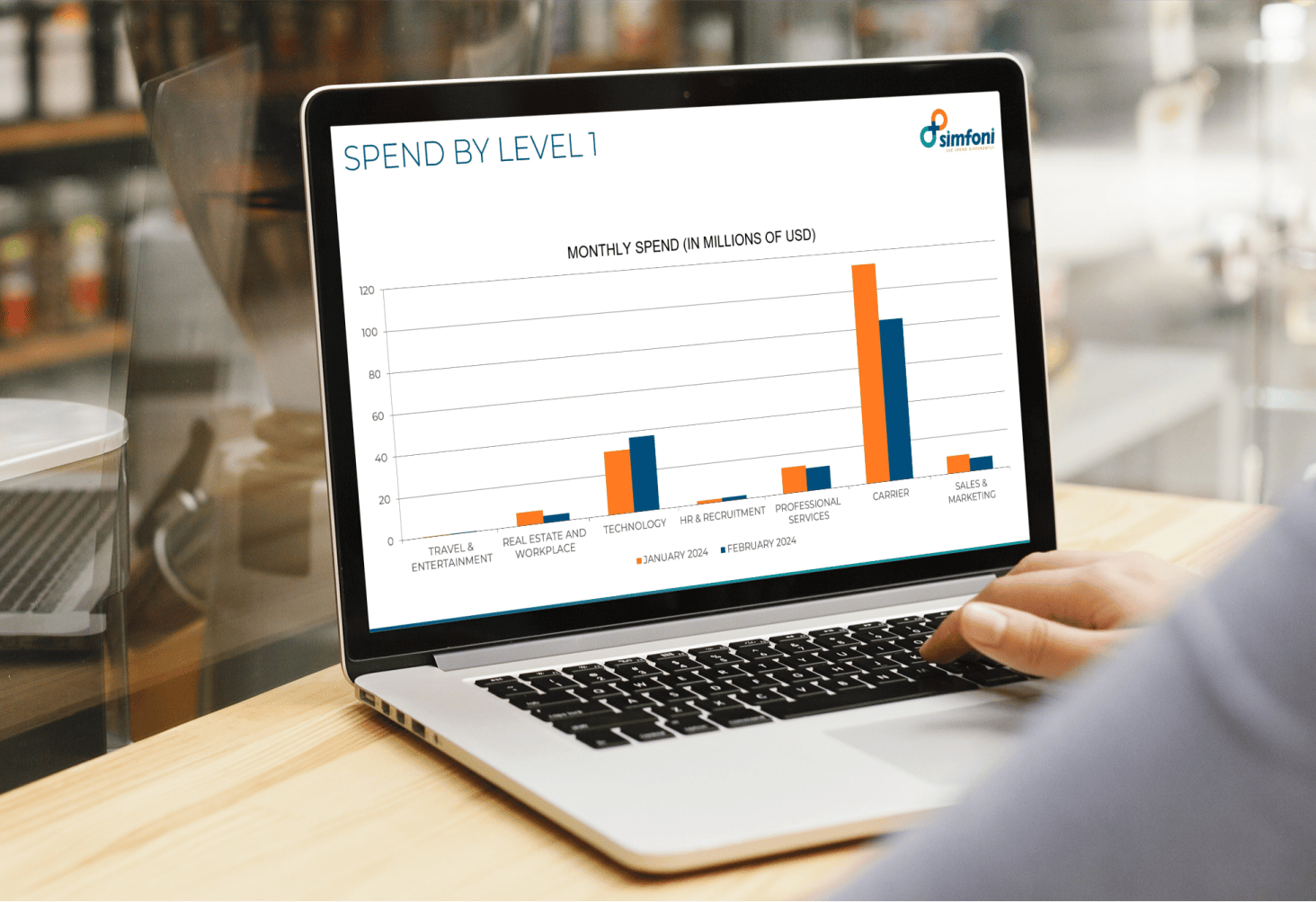
Judges aren't the only way to catch bad numbers. When Monterail built Insights AI for Simfoni, a procurement analytics platform, Claude on AWS Bedrock turned customers' spend data into one-click PowerPoint reports. A validation step reviewed the figures the model generated and corrected them where needed, and the team limited prompts to two or three iterations to keep results reliable. That project wasn't built in Rails, but the pattern carries over directly: let the model write the narrative, and check the numbers before anyone sees them.
How Should an AI Feature Learn From User Feedback?
If users can reject a suggestion and explain why, don't feed their raw words back into the prompt. A small model can turn an angry paragraph into one fact, such as "works Sundays 6 a.m. to 3 p.m.", which is what the agent needs to remember.
What Are the Costs and Risks of AI Features in Rails?
The ongoing cost is tokens, and it scales with usage, model size and how much context you send. A long-running agent on a large reasoning model can cost far more per run than a quick classification on a small one, so match the model to the job: a large model for open-ended research, small ones for judging, summarizing and extracting. Track spend per feature and per customer from day one; with RubyLLM, usage is already stored with each message.
Data protection is the risk that's easiest to underestimate. Every prompt sends data to a third-party provider. If that data includes personal or health information, you need a data processing agreement with the provider, a lawful basis under GDPR, and, in regulated industries such as healthcare or finance, a check that the provider and region meet your compliance requirements. Options for sensitive workloads include a provider's EU data region, models hosted in your own cloud account through Amazon Bedrock or Vertex AI, or a self-hosted open-source model through Ollama. RubyLLM supports all three routes.
AI features also need maintenance: providers retire models, and a prompt that worked last quarter can behave differently on a newer one. A small labeled test set, like the one used for judges, lets you check quality before you switch models rather than after users complain.
Key Takeaways
Most of the infrastructure for AI features already ships with Rails: Active Record, Active Job, Turbo Streams, Active Storage and credentials.
RubyLLM gives one API across 23 providers and stores chats as Active Record models, so changing models doesn't mean rewriting features.
Run every model call in a background job, and persist the conversation so a deploy doesn't restart a paid run from zero.
With PostgreSQL, pgvector and the neighbor gem, RAG doesn't need a separate vector database.
Use AI for messy input and keep deterministic business rules in plain Ruby.
Where Should a Rails Team Start With AI?
Start with one feature where the input is messy, the value is easy to measure, and a person reviews the output before it matters, such as drafting support replies or extracting data from uploaded documents. Build it with RubyLLM, run it in a job, save every message, and add a judge before you add a second feature. That foundation carries over to RAG and agents, because it's ordinary Rails.
If you'd like a second pair of eyes on where AI fits in your Rails product, or a team to build it, Monterail has built Ruby on Rails applications since its founding in 2010 and builds AI features into them today. Get in touch to talk it through.
Rails AI FAQ

Michał Nowakowski
Solution Architect and AI Expert at Monterail

Michał Nowakowski is a Solution Architect and AI Expert at Monterail. His strong data and automation foundation and background in operational business units give him a real-world understanding of company challenges. Michał leads feature discovery and business process design to surface hidden value and identify new verticals. He also advocates for AI-assisted development, skillfully integrating strict conditional logic with open-weight machine learning capabilities to build systems that reduce manual effort and unlock overlooked opportunities.