The New Default. Your hub for building smart, fast, and sustainable AI software
Customer Journey Mapping
Customer journey mapping is the practice of charting the steps a customer takes, or is meant to take, with a product or company, together with what they are trying to achieve and how they feel at each stage.
What Is Customer Journey Mapping?
A journey map answers a question most product teams cannot answer from their own dashboards: what does using this product feel like from the outside? Analytics shows where users drop off. A journey map explains why they left, and what happened across email, sales calls, support tickets, and the product itself before they did.
The output is usually a single visual document. Stages run left to right (for example, discover, evaluate, sign up, onboard, use, renew), and horizontal lanes underneath show what the customer does, which touchpoint they use, what they are thinking, and where frustration spikes. The emotional line running through the middle is often the part stakeholders remember.
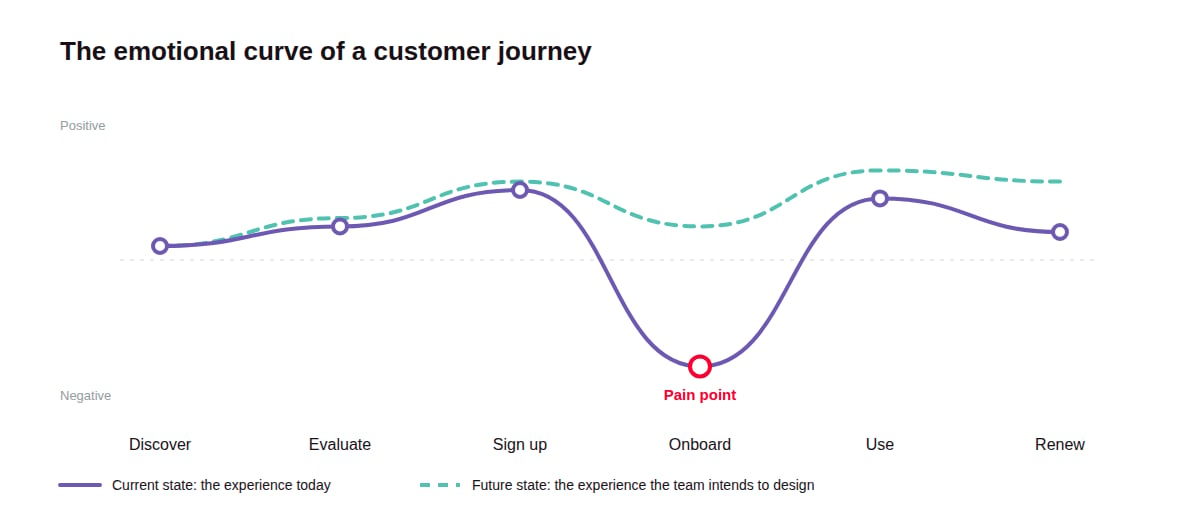
Journey maps are built for a specific persona and a specific scenario. "A mid-market finance lead evaluating the product during a free trial" produces a useful map. "Our customers" produces a poster.
Teams build two kinds. A current-state map documents what happens today, pain points included. A future-state map describes the experience the team intends to design, and usually becomes an input for the product roadmap.
Why Does Customer Journey Mapping Matter?
Customer journey mapping matters because no single team inside a company sees the whole customer experience, and the gaps between teams are where customers get lost.
It exposes handoff failures. Marketing owns the ad, sales owns the demo, product owns onboarding, and support owns the ticket queue. Each team can hit its own targets while the customer falls between two of them. A map puts the handoffs in one journey on a single page, as the customer experiences them, so the broken ones become visible even when every team's own metrics look fine.
It turns opinion into evidence. Product debates often come down to whose intuition wins. A map built from interviews and support data replaces "I think users want X" with "eight of twelve interviewees stalled at the same step."
It gives teams a shared vocabulary. Once a map exists, "the stage-three drop" means the same thing to a designer and a customer success manager. That alone shortens prioritization meetings.
How Does Customer Journey Mapping Work?
Customer journey mapping works by combining research about a defined customer group into a stage-by-stage model of their experience, then using that model to decide what to fix.
Set the scope and persona. Pick one persona and one scenario, with a clear start and end point. A map covering everything from first ad to contract renewal is possible, but a map of the first 30 days usually produces more actionable findings.
Gather evidence. Collect qualitative input from customer interviews and usability sessions, then check it against quantitative data such as funnel analytics and support ticket categories. Support tickets are often the quickest source to start with, because they record frustration in the customer's own words.
Lay out stages and touchpoints. Define the stages from the customer's point of view, not the company's org chart. Under each stage, list every touchpoint the customer meets, including ones no team formally owns, such as a third-party review site.
Plot actions and emotions. For each stage, record what the customer is doing and how they feel about it, using direct quotes where possible. The emotional curve shows where the experience dips below expectations.
Mark pain points and opportunities. Highlight the moments where customers stall or leave, and note a concrete opportunity next to each. This is the layer that turns a descriptive document into a backlog.
Assign owners and revisit. Every opportunity needs a named owner, and the map needs a review date. A journey map that nobody updates goes stale as soon as the product changes.
What Tools Do Teams Use for Customer Journey Mapping?
Most teams start mapping on a shared whiteboard and move to a dedicated journey management platform once they maintain more than a handful of maps, with behavioral analytics used throughout to check each map against observed usage.
Which Tools Help Teams Build Maps Together?
Miro, FigJam, and Mural are a common starting point. They offer journey map templates and let a cross-functional group build a map together in a workshop. Their limit is maintenance: a map on a whiteboard is a snapshot, and it does not connect to the data that would show it has gone out of date.
Which Tools Manage Journeys at Scale?
TheyDo, Smaply, and UXPressia are built specifically for journey mapping. They store personas and journeys as structured data instead of drawings, so a single pain point can appear in several journeys and, in some platforms, be tracked through to resolution. They suit organizations that maintain dozens of journeys across multiple products.
Which Tools Supply the Evidence Behind a Map?
Contentsquare (which absorbed Hotjar in 2025), Fullstory, and Amplitude are behavioral analytics tools. Some offer path analysis, but their main role in journey mapping is supplying the evidence behind a map. Session recordings show where users hesitate, and funnel reports show where they drop, which lets teams test whether the pain points on the map show up in product data.
What Are the Key Characteristics of Customer Journey Mapping?
The defining characteristic of customer journey mapping is that it describes the experience from the customer's side, across every channel they touch.
Outside-in perspective. Stages and labels reflect what the customer is trying to do ("figure out if this fits our workflow"), not internal process names ("MQL to SQL conversion"). This is the main thing that separates a journey map from a sales funnel diagram.
Persona-specific scope. Each map follows one type of customer. A B2B product usually needs separate maps for the buyer who signs the contract and the end user who logs in every day, because their journeys diverge soon after the contract is signed.
Emotional layer. Journey maps record how customers feel alongside what they do. That layer explains what the analytics alone cannot, such as why a user who completed onboarding still churned.
Cross-channel coverage. A map includes touchpoints outside the product, such as sales emails, invoices, help center articles, and phone calls, because customers experience all of them as one relationship.
Evidence attached to each claim. A useful map links its pain points to the interview quotes or support tickets that support them. That traceability is what lets a team defend a pain point in a prioritization meeting instead of relitigating it.
What Are the Benefits of Customer Journey Mapping?
The main benefit of customer journey mapping is that it shows teams which problems to fix first, based on where customers struggle instead of where the company assumes they do.
Sharper prioritization. When every pain point sits on one map with its evidence attached, teams can rank fixes by customer impact. This feeds directly into feature prioritization and makes roadmap trade-offs easier to defend.
Better onboarding and retention. Early stages of the journey are where many SaaS users decide whether a product is worth their time. Mapping those stages in detail tends to surface fixable friction, such as a setup step that requires data the user does not have yet.
A stronger case for budget. Once a pain point sits at a specific stage, it can be priced in trial users lost at that step or support tickets it generates each month. UX requests that used to read as preferences start to read as business cases.
Faster ramp-up for new team members. A current, evidence-based map is one of the quickest ways for a new designer or engineer to understand who the product serves and where it falls short.
A baseline for measuring change. A current-state map records the experience before a redesign. After launch, teams can compare the new journey against it to see whether the pain points moved.
What Are the Challenges of Customer Journey Mapping?
The biggest challenge of customer journey mapping is keeping maps accurate and acted on, since a map that is out of date or has no owner produces workshop output and little else.
Research costs time. A map built on interviews and data is far more useful than one built from assumptions, but recruiting participants and synthesizing findings can take weeks. Teams that skip this step save time up front and end up with a map that confirms what they already believed.
Maintenance competes with delivery. Keeping maps current requires someone to update them after every major release. Dedicated platforms reduce that effort, but they add licensing cost and another tool the team has to adopt.
Scope is hard to get right. A narrow map is actionable but can miss problems that start earlier in the journey. A broad map catches those, but it gets too dense to act on. Most teams end up maintaining one high-level map plus several detailed ones, which multiplies the upkeep.
Maps describe problems without solving them. Mapping identifies where the experience breaks. Fixing it still needs discovery and engineering capacity, and if that capacity is not planned alongside the mapping work, the map becomes a list of known problems nobody has time to address.
What Is the Difference Between a Customer Journey Map and a Service Blueprint?
A customer journey map shows the experience from the customer's side, while a service blueprint shows the internal teams and systems that produce that experience.
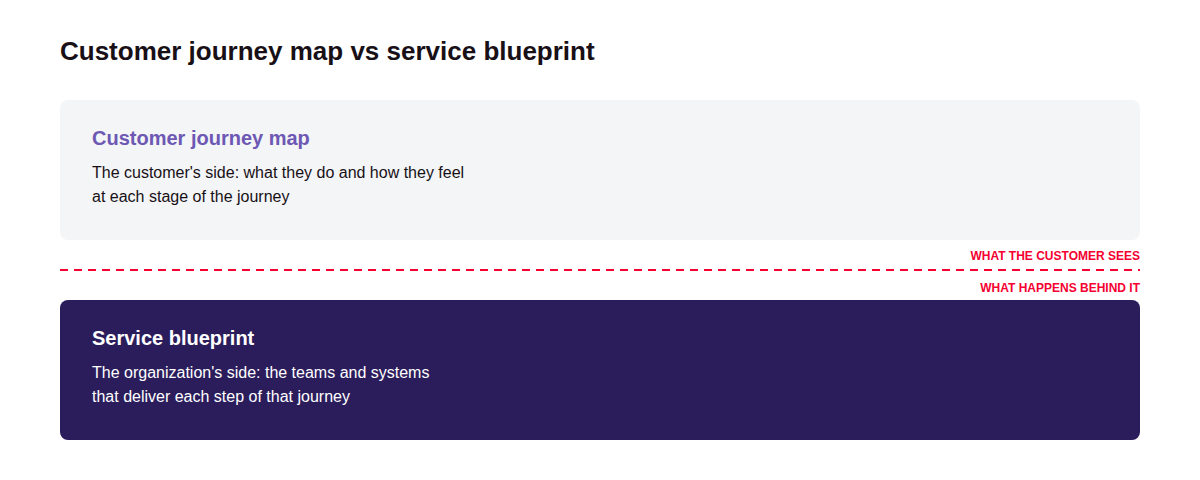
Customer journey map | Service blueprint | |
Point of view | The customer's | The organization's |
Question it answers | What does the customer experience, and where does it break? | What has to happen internally to deliver each step? |
Main layers | Stages, actions, touchpoints, thoughts, emotions | Physical evidence, customer actions, frontstage actions, backstage actions, support processes |
Covers internal systems | No | Yes |
Primary audience | Product, design, marketing, leadership | Operations, service design, engineering, support |
Typical use | Finding and prioritizing experience problems | Diagnosing why those problems happen and redesigning delivery |
FAQ about Customer Journey Mapping
Need expert help with Customer Journey Mapping?
Monterail builds custom software solutions that leverage the latest technologies. Let's discuss how we can help with your project.
GET IN TOUCHGET IN TOUCH