The New Default. Your hub for building smart, fast, and sustainable AI software
Single Page Application (SPA)
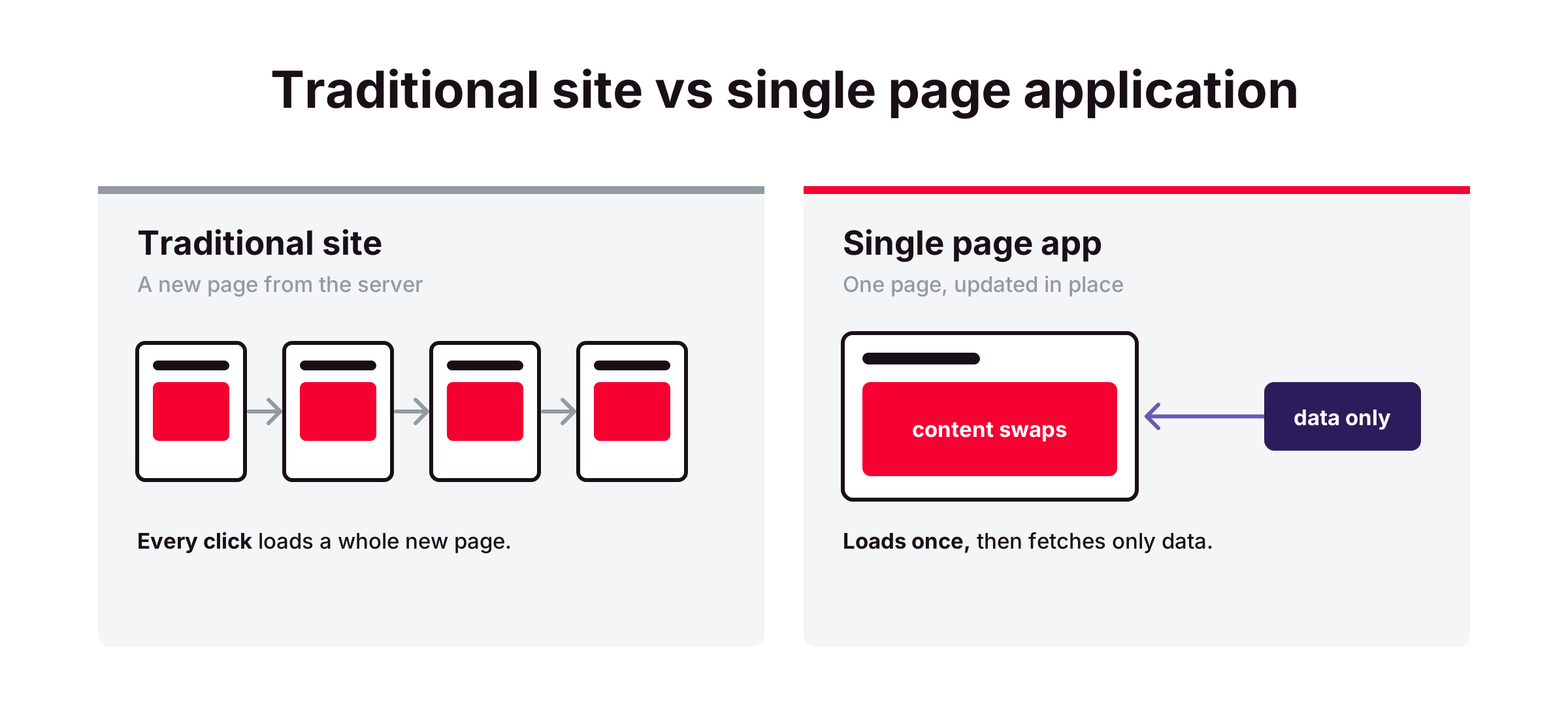
A single page application (SPA) is a web application that loads one HTML document and then uses JavaScript to rewrite that document's content as the user moves around, instead of requesting a new page from the server.
What Is a Single Page Application?
Clicking a link on a traditional website throws away the current page and builds a new one from scratch, even when most of the screen stays the same. The SPA approach exists to skip that rebuild. Once the application has loaded, moving between views fetches only the data that changed, which makes heavy, interactive tools feel closer to desktop software.
The price is paid up front. The browser downloads the application's JavaScript before it can show anything useful, and the frontend takes over jobs the server used to handle, such as routing and keeping track of state. MDN's glossary entry on SPAs names harder search engine optimization and extra navigation work among the costs.
The line between SPAs and traditional sites has blurred. Meta-frameworks such as Next.js and Nuxt render the first page on the server and then hand control to JavaScript, so one product can behave like a traditional site on first load and like an SPA after that.
Why Does the Single Page Application Model Matter?
It raises the ceiling for interactivity. Products where users stay on one screen for long sessions, such as dashboards or document editors, gain the most, because every avoided reload removes a pause from work the user repeats many times a day.
It reshapes the whole stack. Choosing an SPA turns the backend into an API that serves data instead of pages. That split lets one API serve both a web app and a mobile app, but it also means two codebases to build and deploy.
How Does a Single Page Application Work?
One initial document. The server returns a minimal HTML file, often holding little more than an empty container element and links to the JavaScript bundles.
JavaScript renders the interface. A framework such as React or Vue builds the screen inside that container and keeps it in sync with the application's data.
Client-side routing. When the user clicks a link, a router intercepts it and swaps in the matching view without a reload, updating the address bar through the browser's History API. Google's search documentation recommends the History API over URL fragments (the part after #) for this.
Data over the network. Each view requests its data from an API, usually as JSON, so only that data travels when the user navigates.
State in memory. Details like the signed-in user or a half-filled form stay in browser memory across views. That keeps navigation instant, but a full page refresh clears anything not saved to the server or browser storage.
What Tools Do Teams Use to Build Single Page Applications?
Frameworks and routers. React paired with React Router, Vue paired with Vue Router, and Angular with its built-in router are common SPA foundations.
Data fetching and caching. TanStack Query and SWR cache API responses in the browser, so returning to a view can show data immediately while a fresh copy loads in the background.
Build and hosting. Vite bundles the app for production. Static hosts such as Netlify or Cloudflare Pages serve the files, with a rewrite rule that sends every URL to the same index.html.
What Are the Key Characteristics of a Single Page Application?
Content depends on JavaScript. With JavaScript turned off or failing, a purely client-rendered SPA shows an empty page. An uncaught error during startup can blank the whole interface, not just the widget that failed.
Heavier first load, lighter navigation. The first visit downloads the application code. Later navigation moves only data, so the cost of an SPA is concentrated at the start of a session.
The app decides what each URL shows. The server sends the same document for every path, so the app itself has to handle missing pages. Google recommends redirecting to a URL that returns a 404 status or adding a noindex tag to error views, so broken links are not indexed as "soft 404s."
Long-lived pages. A user may keep one SPA tab open for hours or days, so memory leaks and outdated code matter more than on sites that reload with every click.
What Are the Benefits of a Single Page Application?
Instant view changes. After the first load, switching views needs no full page request, so the interface responds without the blank flash of a reload.
Lower server load per navigation. The server sends small data responses instead of rendering a full HTML page for every click.
Inexpensive frontend hosting. The built app is a set of static files a CDN can serve, with no page-rendering server to run.
A path to offline use. Because the app shell already lives in the browser, an SPA can be extended into a progressive web app that caches data and keeps working on a poor connection.
What Are the Challenges of a Single Page Application?
Search visibility. Google renders JavaScript, but pages wait in a rendering queue that Google says can take longer than a few seconds, and it notes that "not all bots can run JavaScript." Server-side rendering or pre-rendering removes that dependency, but adds a server to run or a build step that has to regenerate pages whenever content changes.
Slow first load. Large JavaScript bundles delay the first useful screen, especially on mid-range phones. Code splitting loads only what each view needs, but adds loading states the team has to design at every split point.
Rebuilt browser basics. Behavior the browser gives traditional sites for free, like restoring scroll position or moving screen reader focus to new content, has to be handled by the app. Routers cover part of it, and accessibility testing has to confirm the rest.
Harder analytics. Tools built around page loads miss in-app navigation unless configured to track route changes. That configuration restores accurate data, but adds custom tracking code that can break silently when routes are renamed.
What Is the Difference Between a Single Page Application and a Multi-Page Application?
Aspect | Single page application (SPA) | Multi-page application (MPA) |
First response from the server | A minimal HTML shell plus JavaScript bundles | A complete HTML page with its content |
Moving between pages | JavaScript swaps the view without a full reload | The browser requests and loads a new HTML page |
Search engine indexing | Relies on crawlers running JavaScript, unless server-side rendering or pre-rendering is added | Content is in the HTML from the first response |
Interface state between pages | Kept in browser memory | Reset on each page load unless stored on the server or in browser storage |
Typical fit | Dashboards and tools used behind a login | Content sites and product catalogs |
What runs on the server | An API, with the frontend served as static files | A server or build step that produces the HTML for each page |
FAQ about single page application (spa)
Need expert help with Single Page Application (SPA)?
Monterail builds custom software solutions that leverage the latest technologies. Let's discuss how we can help with your project.
GET IN TOUCHGET IN TOUCH