The New Default. Your hub for building smart, fast, and sustainable AI software
Interaction Design
The discipline of designing what a person can do with a product and how the product reacts.
What Is Interaction Design?
Interaction design is what a product costs a user in effort and uncertainty at the moment they try to do something: whether they know what they can do, and whether the product's reaction confirms it worked. The Interaction Design Foundation defines it as the design of the interaction between users and products, meant to help users achieve their goals in the best way possible.
One widely referenced framework, developed by Gillian Crampton Smith and extended by Kevin Silver, breaks interaction design into five dimensions:
Words: labels and text that communicate without overwhelming. Visual representations: images, typography, icons, and layout that support interaction. Physical objects and space: the medium someone uses, whether a finger on a phone or a mouse on a desktop. Time: animation and sound that unfold over a moment. Behavior: how the first four combine into the system's response to input.
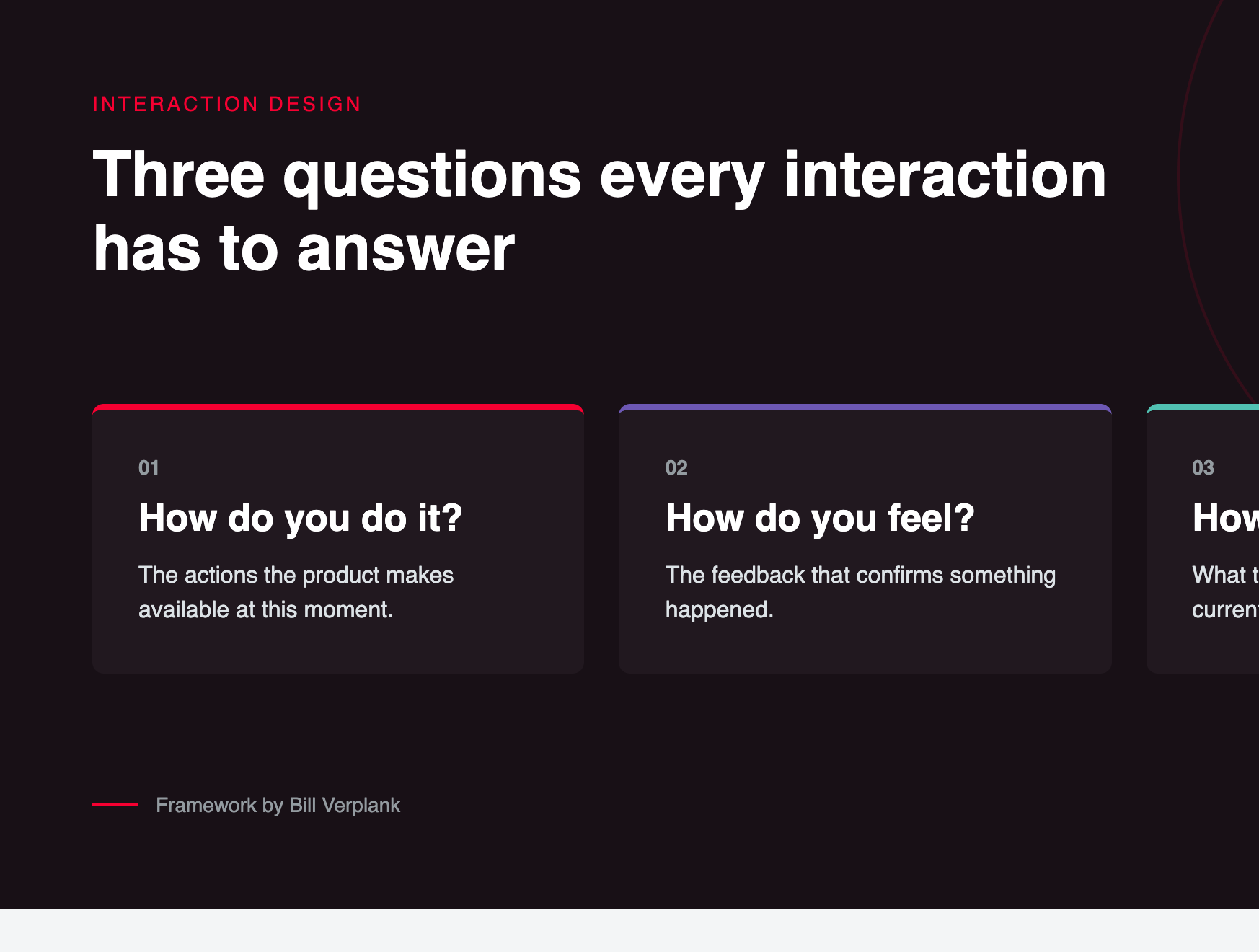
Bill Verplank framed it more simply, with three questions: how do you do it (available actions), how do you feel (the feedback given), and how do you know (what it reveals about its state). Both frameworks describe the same thing, a narrower, moment-to-moment exchange than UX design's full journey, and a different concern than UI design's visual layer.
Why Are Product Teams Investing in Interaction Design?
Predictable interactions keep people moving through a task instead of stalling to double-check what just happened.
Most drop-off happens inside the product, at the exact moment someone hesitates over what to click, not on the marketing page that got them there.
How Does Interaction Design Work?
Interaction design moves from defining what a user needs to do, to testing whether the product's response feels right.
Define interaction requirements. The team maps out what actions a user needs to take at each step, and what feedback each action needs to give back.
Apply core principles. Signifiers, feedback, and constraints get applied to specific decisions: does a button look pressable, and does the product confirm an action happened?
Prototype interactive behavior. The design is built into a clickable, often animated prototype so the real timing and feel of an interaction can be tested, not just its static layout.
Test the interaction itself. The same task gets tested with real users specifically for hesitation, mistaken clicks, or confusion about what just happened, separate from testing the visual design.
Refine timing and clarity. Problems get fixed at the level of the interaction itself, such as adding a loading state or clarifying what a control does, rather than only adjusting the visuals around it.
Which Tools Support Interaction Design?
Interactive prototyping: Figma's native prototyping tools, along with Principle and ProtoPie, let designers define transitions and animation timing instead of only static screens.
Motion and micro-interaction design: Tools such as After Effects, often paired with Lottie to export animations directly into code, handle the smaller, moment-to-moment feedback that lives inside a product.
Interaction-specific testing: Maze and UserTesting are used here too, but focused on whether a specific interaction is understood, not just whether an overall screen is.
What Are the Key Characteristics of Interaction Design?
Feedback. A well-designed interaction gives a visible or audible response to what a person just did, so they are not left wondering if their tap registered.
Signifiers. Visible cues indicate what can be interacted with, distinct from an affordance, which is simply what an object physically allows someone to do.
Mapping. The relationship between a control and its effect follows an intuitive pattern, such as moving a slider right to increase a value.
Constraints. The available options at any given moment are limited on purpose, reducing the chance of an accidental or destructive action.
Consistency. Within a given product, similar actions are designed to produce similar responses, so what someone learns in one place carries over to the next.
What Are the Benefits of Interaction Design?
Reduces user hesitation. Clear feedback tells someone their action registered, so they don't repeat it or wonder if it worked.
Prevents errors before they happen. Fewer support tickets and less cleanup work follow when a product stops a destructive action before it's confirmed, instead of relying on someone to undo it after the fact.
Increases task completion. Interactions that behave the way people expect keep them moving through a flow instead of stalling at an unclear moment.
Builds trust in the product. Consistent, predictable behavior across a product signals reliability, the same way a well-built physical object does.
Differentiates a product beyond visuals. Two products with nearly identical layouts can feel completely different depending on how their interactions behave.
What Are the Challenges and Trade-offs of Interaction Design?
Hard to specify in static files. An interaction only exists in motion and response, so it's easy to under-communicate to developers using screenshots alone.
Timing is difficult to get right. Feedback that arrives too fast feels jarring, and feedback that arrives too slow feels broken; the right timing usually takes hands-on testing to find.
Accessibility adds complexity. Interactions built around visual feedback alone can exclude users relying on screen readers or keyboard navigation.
Cross-platform inconsistency. A gesture that feels natural on a touchscreen often has no clean equivalent on a desktop with a mouse and keyboard.
Over-designed interactions. Excessive animation or unfamiliar gestures can slow experienced users down instead of helping first-time users.
Interaction Design vs. UI Design: Which Handles What?
Factor | Interaction Design | UI Design |
|---|---|---|
Focus | How a product behaves and responds to input | How a product looks |
Core question | What happens when someone acts, and how do they know it worked? | What does this screen look like? |
Typical deliverables | Interactive prototypes, motion specs, interaction flows | Mockups, style guide, static screens |
Based on | Feedback, signifiers, mapping, constraints | Color, typography, layout, hierarchy |
Tested by | Watching whether users hesitate, mis-click, or understand feedback | Checking whether the interface reads clearly and consistently |
FAQ About Interaction Design
Need expert help with Interaction Design?
Monterail builds custom software solutions that leverage the latest technologies. Let's discuss how we can help with your project.
GET IN TOUCHGET IN TOUCH