The New Default. Your hub for building smart, fast, and sustainable AI software

Table of Contents
and 6 more
AI in software development has moved from autocomplete to agents that plan, write, test, and open pull requests on their own. Code is now cheap to produce. The hard, expensive part of building software has shifted to verifying, integrating, and maintaining what AI generates. Teams that adapt to that shift are pulling ahead quickly. Teams that don’t adapt end up with more code and a slower path to production.
Executive Summary
AI has made writing code dramatically faster, but for most organizations it hasn’t made delivering software faster. CircleCI’s analysis of 28.7 million CI workflows shows average throughput up 59%, while the median team’s main-branch activity fell 7% and main-branch success rates dropped to a five-year low.
The winners treat AI as an amplifier of their engineering system: they invest in fast validation, small iterative changes, and review capacity, and they measure outcomes instead of lines of code.
For business leaders, the decision that matters is whether your delivery system can absorb AI-generated change, not which AI tool to buy.
How Is AI Changing Software Development in 2026?
AI is now a standard part of how software gets built, and its impact finally shows up in hard delivery data. The headline is more uneven than the hype suggests.
CircleCI’s 2026 State of Software Delivery analyzed more than 28 million CI workflows from thousands of teams in September 2025. Average throughput (the number of workflow runs per day) grew 59% year over year, a jump CircleCI attributes largely to AI-assisted development and autonomous coding agents.
Those gains are concentrated at the top:
Team performance band | Year-over-year throughput change |
|---|---|
Top 5% | +97% (from 6.8 to 13.4 daily workflow runs) |
Top 10% | +47% |
Top 25% | +25% |
Median team | +4% |
Bottom 25% | No measurable increase |
Source: CircleCI, 2026 State of Software Delivery
Meanwhile, stability is slipping. Success rates on the main branch fell to 70.8%, their lowest level in over five years and well below CircleCI’s 90% benchmark. In other words, roughly 3 in 10 attempts to merge changes into production code now fail. The typical team takes 72 minutes to recover from a failed build, 13% longer than a year earlier.
In short: AI is turning up the volume of change, and most delivery systems weren’t built for that volume.
If you lead an engineering team, this may match what you’re feeling. You hear about “10x developers” and agents shipping features overnight, while your own roadmap doesn’t seem to be moving 10x faster. Your reviewers are stretched thin, and the AI budget keeps growing. That gap between what AI promises and what your delivery pipeline produces is real, it is measurable, and it can be closed. The rest of this article explains why the gap exists and what the fastest-improving teams do about it.
Why Doesn’t Writing Code Faster Mean Shipping Software Faster?
Writing code faster doesn’t translate into shipping faster because code was never the only bottleneck. When AI makes code generation nearly free, the constraint moves downstream to review, integration, testing, and recovery. Those stages still depend on human attention and on how robust your engineering system is.
The CircleCI data shows exactly where things get stuck. For the median team, throughput on feature branches rose 15%, but throughput on the main branch declined 7%. Developers are experimenting and generating more, yet fewer changes make it into shared, production-ready code. Even teams in the top 10% saw feature-branch activity grow by almost 50% while main-branch activity stayed essentially flat. According to CircleCI, fewer than 1 in 20 teams can currently absorb AI-driven acceleration without slowing their delivery pipelines.
Several forces drive this:
Plausible isn’t the same as working. Kent Beck, the creator of Extreme Programming and a pioneer of test-driven development, calls AI “the genie”: it grants your wishes, but the result isn’t quite what you wanted. In his Prodacity 2026 talk, he put it bluntly: the genie is “really good at plausible, but actually working, no.” Code that looks right still has to be proven right.
Unfamiliar code is harder to fix. CircleCI notes that debugging unfamiliar code when a build fails is one of the biggest challenges of integrating AI-generated changes. Recovery on feature branches grew 25%, from 64 minutes to nearly 80.
Review capacity doesn’t scale with generation. In The Pragmatic Engineer’s 2026 survey of 900+ engineers, reviewers, especially senior engineers, describe drowning in AI-generated pull requests. One engineer reported receiving PRs of 2,000+ lines almost every day.
The cost compounds quickly. CircleCI calculates that for a team pushing five changes to the main branch per day, dropping from a 90% to a 70% success rate means going from one showstopping breakage every two days to 1.5 every single day, a threefold increase.
What is the “features vs futures” trade-off in AI-assisted development?
Kent Beck offers a useful way to see the hidden cost. Every software project has two kinds of value: the features it has today and its futures, meaning its options for changing direction tomorrow. Each new feature burns some of those futures through added complexity, compatibility constraints, and coupling.
Without deliberate care, a project eventually reaches a state where nothing can change without breaking something else. Beck jokes that this used to take “a hundred people 10 years”; with AI, he can create the same mess alone in a week. AI accelerates both feature delivery and the erosion of a codebase’s ability to change.
His remedy borrows a musician’s idea of resting between the notes: use the pause after each feature. When the AI finishes a task and asks what to do next, a good team sometimes answers “not yet” and spends that moment refactoring, removing duplication, or improving the design. That work rarely shows up in a spec or a sprint demo, but it’s what keeps the next hundred features affordable. It’s also why unmanaged technical debt becomes a bigger business risk, not a smaller one, once AI enters the workflow.
Which AI Tools for Software Development Are Teams Using Now?
The AI tools for software development in 2026 fall into five broad categories, and most teams combine several of them. The biggest change since 2025 is the move from tools that suggest code to agents that complete tasks: they read the codebase, edit many files, run tests, and hand back a pull request.
Tool category | Examples | Best for | Watch out for |
|---|---|---|---|
AI-native IDEs and IDE assistants | GitHub Copilot, Cursor | Everyday coding, multi-file edits, chat with your codebase | Over-trusting suggestions; costs rising with heavy agent use |
Coding agents (terminal and cloud) | Claude Code, OpenAI Codex, GitHub Copilot coding agent | Delegating well-scoped tasks end to end, large refactors, migrations | Large unreviewed PRs; usage limits; token costs |
Prompt-to-app builders | v0 by Vercel | Prototypes, internal tools, early UI exploration | Production hardening, architecture, and maintainability still need engineers |
AI code review | GitHub Copilot code review, Cursor BugBot, CodeRabbit | A first pass on every PR, catching common issues early | Noise and false confidence; human review is still essential |
Open-source, model-agnostic tools | OpenCode, Aider | Privacy-sensitive work, choosing your own model, local LLMs | More setup; you own the configuration and model choice |
A few notes on how these tools have changed:
GitHub Copilot is no longer just autocomplete. It now offers an agent mode in the IDE and a cloud-based coding agent that works on an issue asynchronously and returns a pull request.
Cursor remains a full AI-native editor. “Composer,” the feature we highlighted in earlier versions of this article, is now the name of Cursor’s own coding model, and recent releases focus on running multiple agents in parallel.
v0 has grown from a UI generator into a full-stack app builder with GitHub integration.
Open-source options shifted too. Continue.dev, which we recommended in 2025, joined Cursor in mid-2026 and is no longer independently maintained. OpenCode and Aider still let you connect any model provider, including locally running models.
On cost, The Pragmatic Engineer’s survey found that companies commonly pay for “max” plans of tools like Claude Code, Cursor, and Codex at around $100 to $200 per engineer per month, while tighter budgets stop at about $20 per month, roughly the price point of GitHub Copilot and the cheapest Claude or ChatGPT subscriptions.
The tool matters less than how you use it. Agents are only as good as the context, constraints, and review process around them.
What Are the Real Benefits of AI in Software Development?
The real benefits of AI in software development are less repetitive work, better tests and documentation, and the ability to tackle work that previously wasn’t worth the effort. About half of The Pragmatic Engineer’s respondents say they now ship code two to five times faster than before. Here’s where that speed comes from.
Less time on repetitive, low-value work
AI absorbs boilerplate, routine refactoring, environment setup, and configuration. Engineers in the survey describe lower cognitive load: less mental energy spent on syntax and setup, more left for design and problem-solving. The biggest productivity gain is in reclaimed attention, not raw typing speed.
Better tests and documentation
Tests, docs, and technical specs have always been the first things to slip under deadline pressure. AI makes them cheap enough that teams actually do them. One founding engineer in the survey said their code has “much much higher test coverage” since working with Claude Code. That matters because, as the CircleCI data shows, automated tests are the safety net that lets you absorb more change.
Large refactors and “quality of life” fixes
Experienced engineers use AI for laborious but well-understood work: migrations, codebase-wide changes, and improving test coverage. AI also lowers the bar for fixes that never made the priority list. Ruby on Rails creator David Heinemeier Hansson described one engineer at his company who used agents to cut the fastest 1% of web requests from 4 milliseconds to under half a millisecond. The project took a couple of days as a side project and produced 12 pull requests.
Faster prototyping and learning
Prototypes and proofs of concept that used to take weeks can now be ready in days, which makes rapid prototyping a far cheaper way to validate ideas before committing a budget. AI also shortens the learning curve for new languages, frameworks, and codebases, although some engineers question how much knowledge sticks when learning feels effortless.
These gains are real, but they don’t arrive automatically. They come from using AI where it genuinely supports engineers, with humans still owning the decisions.
Does AI Help Every Developer Equally?
No. AI amplifies the habits engineers already have, good and bad. The Pragmatic Engineer’s survey identified three broad archetypes, and AI affects each one differently:
Archetype | Who they are | What AI gives them | What AI costs them (or their team) |
|---|---|---|---|
Builders | Care about architecture, quality, and craft | Help with large refactors, migrations, test coverage; more “quality of life” fixes | More time reviewing and debugging others’ AI output; for some, a sense of lost identity |
Shippers | Focus on outcomes, features, and speed to production | Much faster prototyping and shipping; parallel work with agents | Tech debt accumulates faster; risk of building things that shouldn’t exist |
Coasters | Get work done with less concern for quality | A mentor that helps them improve and work more independently | Main source of “AI slop”: one-shotted tickets pushed to review without understanding |
Source: The Pragmatic Engineer, 2026
The roles themselves are shifting, too. Engineers describe their job moving toward “agent orchestrator,” architect, and reviewer. Engineering managers report becoming more hands-on, because AI shrinks the ramp-up cost of contributing code between meetings.
The business implication is significant. Team composition and review capacity now shape your AI returns more than the number of seat licenses you buy. A team of shippers and coasters with too few builders tends to generate volume faster than it can safely absorb it.
What Are the Risks and Hidden Costs of AI-Generated Code?
The risks of AI in software development are lower code quality, review overload, data exposure, skill erosion, unpredictable costs, and misleading productivity metrics. None of them is a reason to avoid AI. All of them are reasons to adopt it deliberately.
Code quality and “AI slop”
AI-generated code can be buggy, inefficient, or insecure, and it often looks convincing anyway. Beck warns that AI will take shortcuts to make tests pass, such as returning constants, much like “a 14-year-old programmer” eager to say “it works, boss.” One software architect in The Pragmatic Engineer’s survey said people “who did all the quality-review work are now just drowning.” Treat every AI output as a draft that still has to earn its place in your codebase. When that discipline slips, the result is a codebase that needs a vibe code cleanup before it can grow.
Data privacy and intellectual property
Cloud-based AI tools need access to your code, which raises fair questions about where that code goes and how it’s stored. Review vendors’ data retention and training policies, use enterprise plans with clear contractual protections, and set rules about what may be shared with which tools. For sensitive or proprietary code, model-agnostic tools paired with self-hosted, open-source LLMs keep data inside your infrastructure, at the cost of some capability and more setup.
Skill atrophy and the junior-developer pipeline
Survey respondents named skill atrophy and tool dependence as the biggest negative of AI. The worry is that shallow understanding replaces deep expertise when the struggle of problem-solving disappears. This is why we still expect developers to master fundamentals such as algorithms, data structures, debugging, and system design. AI should augment those skills, not stand in for them.
Rising and unpredictable costs
Cost concerns came up in about 15% of The Pragmatic Engineer’s responses, and around 30% of respondents had hit usage limits. Many companies are still in an experimental phase with generous budgets. Most respondents think prices will have to rise, and several worry about what happens when heavily subsidized enterprise plans end. Some respondents worry about vendor lock-in, recalling how cloud providers subsidized early usage before raising prices. Budget for AI as a growing, variable cost, and give teams guidance on which models suit which tasks.
Burnout and context switching
Running several agents in parallel feels productive, but it’s tiring. Engineers describe constant context switching, and some admit they’re “definitely more tired” without being sure they’re saving time. Rising expectations from leadership add to the pressure. Sustainable pace still matters.
Measuring the wrong things
When AI produces 200,000 lines of code, it’s tempting to call that productivity. Beck points out that lines of code and PR counts measure effort, not value. He frames the chain as effort, then output, then outcome (changed user behavior), then mission (the result that actually matters). The earlier in that chain you measure, the more Goodhart’s law applies: once a measure becomes a target, people bend the system to hit it. If your AI dashboard tracks lines of code or PR volume, it rewards the behavior that creates review overload.
How Do High-Performing Teams Turn AI Speed into Shipped Software?
High-performing teams make their validation and delivery systems as fast as their code generation. The top 5% in CircleCI’s data grew main-branch throughput 26% while expanding feature-branch work 85%, which shows that speed and stability can scale together. Here’s what that looks like in practice:
Invest in validation before generation. Fast CI pipelines, solid automated test suites, and quick feedback loops are what let AI-generated changes flow safely. Encouragingly, median workflow duration fell 18% to 2.2 minutes in CircleCI’s data, and main-branch recovery improved slightly to 59.2 minutes. Teams are starting to adapt.
Keep changes small and iterative. One survey respondent described a director who submitted a 15,000-line AI-generated refactor of a critical feature; staff engineers refused to approve it without a design phase and asked for the work to be split across many PRs. Small PRs are reviewable PRs.
Use specs, but keep feedback loops. Beck warns that the dream of writing a perfect spec and letting the AI produce finished software is what he calls “exactly waterfall development,” and it never worked. One-shot generation is fine for a small app. For systems with real users and real data, iterate.
Build “rest between the notes” into your process. Make refactoring and design improvement an expected part of each cycle, not a reward for finishing early. That’s how you protect the codebase’s futures.
Make review a first-class activity. Use AI code review tools for the first pass, then focus human attention on architecture, security, and business logic. Recognize review work in planning and performance conversations.
Measure outcomes, not output. Track lead time to production, change failure rate, recovery time, and customer-facing results instead of lines of code or PR counts.
Set a cost and model policy. Match models to tasks (lighter models for routine work, heavier ones for planning and complex reasoning), monitor spend, and plan for price changes.
Company size plays a role, too. CircleCI found a “messy middle”: companies with 21 to 50 employees had the lowest main-branch throughput of any segment and took nearly three hours to recover from main-branch failures, compared with under an hour for both very small and very large companies. If your organization has outgrown startup simplicity but hasn’t yet built enterprise-grade engineering systems, AI will expose that gap faster.
How Does Monterail Use AI in Its Own Development Work?
At Monterail, our approach to AI has matured along with the tools. When we first surveyed our developers about the AI tools they use, 85% already used them in their daily workflows, mainly for faster coding, debugging, and quick proofs of concept. They also raised the same concerns this article covers: code quality, long-term skill development, and data privacy.
Since then, our focus has moved from individual coding assistants to how AI fits into the whole delivery process. We test tools hands-on before adopting them, encode architectural standards and context so agents work within clear constraints, and keep engineers accountable for planning, review, and final sign-off.
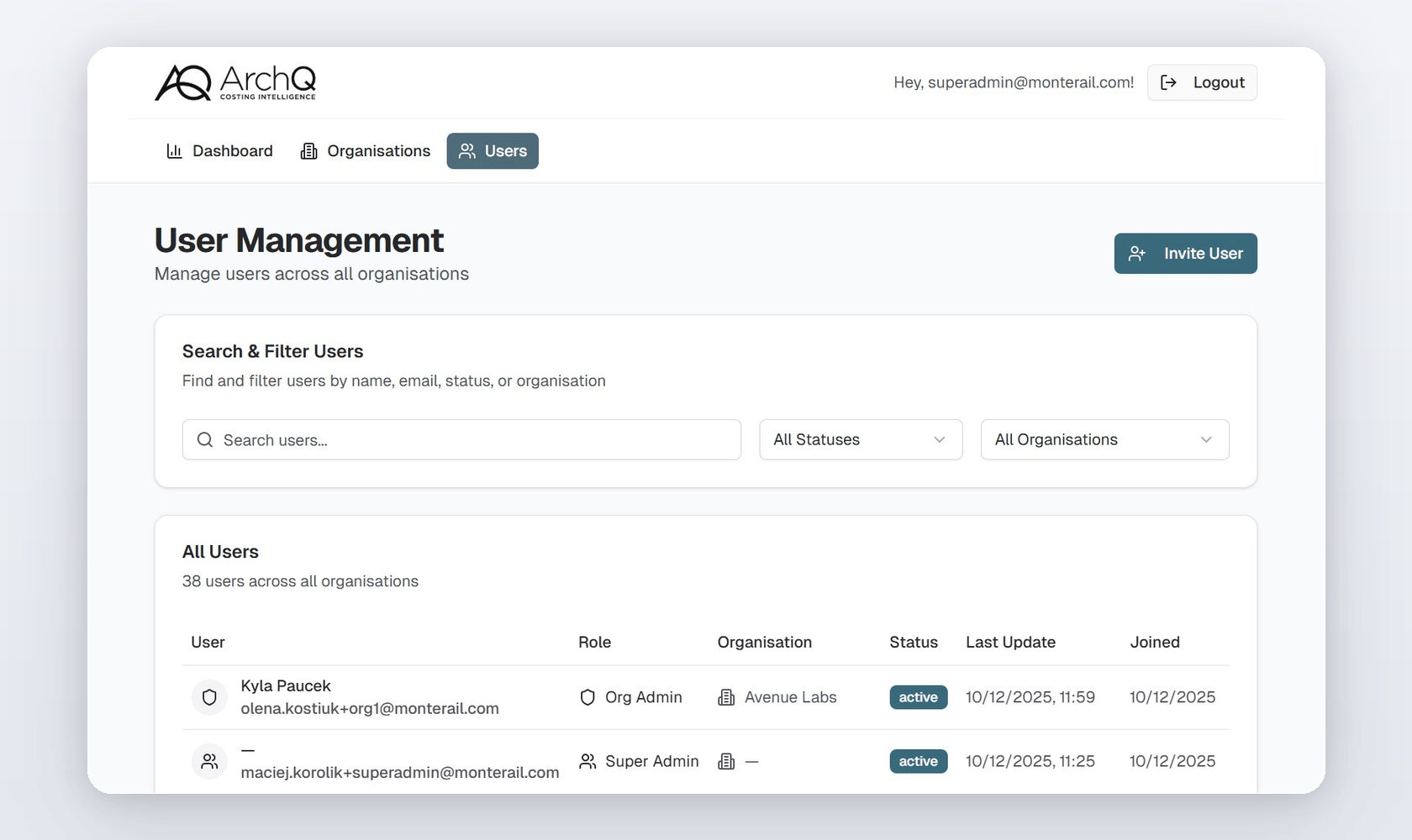
The results show up in client work. For ArchQ, a UK construction founder’s AI-powered cost intelligence platform, AI-assisted development helped our team deliver an interactive prototype within two weeks and a fully functional MVP in three months, using 500 hours of focused development with zero rework. AI sped up the iteration cycles, and engineering discipline around it kept the result reliable.
Will AI Replace Software Developers?
AI will not replace software developers in the foreseeable future, but it is changing what good developers spend their time on. Kent Beck has watched several waves of “now we don’t need programmers anymore,” going back to COBOL’s promise that business people could simply state requirements in plain language. Each time, the need for people who can turn intent into reliable systems remained.
What’s different now is the shape of the work. Typing code is no longer the bottleneck. Judgment is: deciding what to build, verifying that it works, keeping systems changeable, and connecting technical work to business outcomes. Beck notes that the craft activities he once wrote books about, like careful naming and decomposition, matter less in an AI-heavy workflow, while keeping systems readable and open to change still pays off.
As web development trends keep accelerating, the companies that win won’t be the ones generating the most code. They’ll be the ones whose people, processes, and pipelines can turn AI’s speed into software customers actually use. That’s a leadership challenge as much as a technical one, and it’s one you don’t have to solve alone.
Key Takeaways
AI raised average CI throughput 59%, but the median team gained just 4%.
The bottleneck has moved from writing code to reviewing, integrating, and recovering.
Main-branch success rates fell to 70.8%, a five-year low.
AI amplifies existing habits: strong teams get stronger, weak practices get exposed.
Coding agents now complete whole tasks; review capacity must grow to match.
Company-paid AI tools typically cost $20 to $200 per engineer per month, and prices may rise.
Measure lead time, failure rate, and outcomes, not lines of code.
Protect code quality with small PRs, strong tests, and regular refactoring.
FAQ

Maciej Korolik
Senior Frontend Developer and AI Expert at Monterail

Maciej is a Senior Frontend Developer and AI Expert at Monterail, specializing in React.js and Next.js. Passionate about AI-driven development, he leads AI initiatives by implementing advanced solutions, educating teams, and helping clients integrate AI technologies into their products. With hands-on experience in generative AI tools, Maciej bridges the gap between innovation and practical application in modern software development.